Multi Radio Interface
Place Weather Alerts and Live Weather Audio
On Trunked or Conventional Radio Networks For School Buses, Public Service, and Public Safety
Weather and emergency alerts are time-critical messages. A tornado alert may give ten minutes advance warning. It is critical to get alert messages out to the maximum number of people, using existing, multiple, and independent radio systems without disrupting normal communications.
At the request of our emergency management clients, we have developed an easy way to deliver NOAA weather radio audio throughout your existing conventional or trunked radio systems.
This is not only very cost effective, but it also provides severe weather and emergency alert coverage to the most challenging situations including out of town school sports and field trips, buses en route, and school based events that occur after the front office is closed where the school facility is in active use on nights and on weekends, including events in the fields surrounding the school. Parks and recreation departments and public works have also found this system beneficial to their entire operation.
The MRI-100™ is a sophisticated, rack-mounted interface designed to make an easy connection of the WE110/ AE120 system to your two-way radio system. The NWR audio comes from the WE110 as filtered for event and location by the AE120 EAS/SAME decoder.
The system is a versatile, easy to use, logic-and-audio interface with three separately controlled audio/press connections to ‘press-to-talk’ (PTT) channels. The audio from the WE110 is distributed to each of the channels, using high impedance op amps. The audio level on each audio channel separately settable in the MRI-100. Live weather audio or ‘beeps’ only can be placed on any of the three radio channels. A test button on the MRI-100 makes it easy to set up and configure the system.
The user supplies the transceivers for use with the MRI-100. These may be any combination of digital and analog systems having a press-to-talk (PTT) function and a line-level audio input.
LEDs show the status of each logic input and output.
How It Works
- The MRI-100 automatically places 'matched’ (event and location) alerts on a lower-priority channel or weather talk group.
- The system keeps high-priority dispatch/all-call channel clear with ‘beeps-only’ alerts.
- Users on a lower priority channel can access 60 seconds of live weather by pressing their mike button for four seconds.
- Dispatch/console operators can fully remotely control the WE110 functions (live, reset, play last alert, manual channel change, and scan for strongest channel) by tones (DTMF) and through ASCII serial characters through the Internet.
- The audio level on each channel is set by its own control.
- Each channel has a double-pole, double-throw relay with one pole for audio and the other for press-to-talk (active high, active low, contact closure).
- LEDs indicate all functions, including relay closures, DTMF-valid-tone decoded, COS inbound detected, and power.
- The MRI-100 has three double-pole, double-throw relays. One pole of each relay (channel) is for the audio (or beeps) and the other pole is for press-to-talk (PTT).
- The PTT for each channel can be set to either +5 or ground using a jumper setting in the MRI-100.
- The MRI-100 can sense an active high signal (+5 COS) from a transceiver. If the COS is continuous for a time set in the MRI-100 menu (default 3 seconds, settable 1-99 seconds) the MRI-100 will key channel 1 for a period of time set in the menu for 1-240 seconds (default 60 seconds). This will give live weather audio to channel 1 for this time period. At the end of this time period, the MRI-100 will reset the WE110 and will un-key the transceiver.
- On a weather alert ‘match’ (event and location), a relay will close in the AE120 for a preset time. The MRI-100 will sense this relay contact closure and activate Channels 1, 2 and 3 until the earlier of either the relay on the AE120 opening or the MRI-100 menu-settable timer timing out. At that time, the three channels will automatically reset. When a channel in the MRI-100 is set in ‘beep’ mode, only ten beeps will be issued on an alert to that channel and the channel will then reset and unkey the transmitter.
- In the usual configuration channel 1 is set up as a ‘weather talk group.’ This channel will activate on weather alerts and on activation by COS, DTMF or ASCII serial characters.
- Channel 2 is usually the ‘weather alert talk group.’ This channel will automatically activate only for weather alerts. This talk group is usually placed on emergency dispatch consoles and on widely monitored radio channels that do not want to be disturbed when other users bring up the weather manually on channel 1.
- Channel 3 is normally set with ‘beeps-only’ for interface with other alerting systems.
|
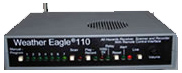
WE110 – Stand-alone Receiver

WE110R-Rack Mount

WE110 Receiver -
AE120 SAME-EAS Decoder
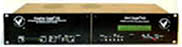
WE105 Receiver -
AE400 SAME-EAS
Decoder
Translates Alerts to Text

MRI-100 MultiRadio Interface
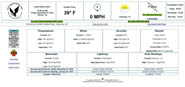
FipsServer Custom Weather Website
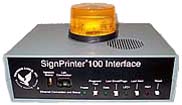
SP100 SignPrinter Interface

One Line LED Signboard

Two Line LED Signboard

Rugged Printer

Strobe Light
|