EAS and SAME Decoder with Translation
The AlertEagle®400 (AE400) is a high performance, patented, diagnostic EAS/SAME decoder. The AE400 system includes the Weather Eagle 105 radio receiver and the AE400 decoder. This system translates EAS/SAME (Emergency Alert System / Specific Area Message Encoded) messages from NOAA’s National Weather Service (NWS) into readable ascii text and relays that text by LAN/WAN and Internet to led sign boards, printers, email, cell phones and pagers. The system is designed in a modular fashion so that parts of the system can be added as your budget permits.
If text translations of EAS/SAME alerts are required, this is the finest system of its type. This unit is the choice of Emergency Operations Centers (EOCS), factories and governmental entities throughout the country. The NWS uses this unit to verify the successful transmissions of their life critical alert messages in real time.
The AE400 is engineered for durability with modern surface mount technology. The unit has special audio filters and amplifiers to provide the most reliable SAME/EAS decoding capabilities.
How the AE400 Decoder Works
- The AE400 receives the EAS/SAME alert messages from the NWS on the WE105, decodes the alerts, and translates them into readable text.
- The decoded messages are matched against a user created table of events and locations.
- If the event and location ‘match,’ the WE105 unmutes and live audio is heard during the alert message, a '"match" LED lights, a relay closes for a user-selected period of time, and the translated text message is output from the printer and LED signboard ports on the AE400. The "match" files are user created by using the FipsFileMaker and the FipsLoader software.
- The AE400 digitally saves the last text alert, and digitally records the last audio message in the unit.
- The AE400 can print out the text alert message onto an optional rugged printer. Many users find the printer to be an extremely useful operational and diagnostic feature of the system.
- The AE400's LED signboard and printer outputs are serial. A serial connection generally should not be more than 25 - 50 feet. To extend this distance (as required by many clients) a NI-200 (serial to ethernet serial interface) can be connected to the serial outputs making the data available anywhere in the network.
- Using the FipsSender-II™ software the text alert messages can be automatically sent through your LAN/WAN and Internet for display on LED signboards throughout the organization.
- Using optional AirMessenger- ASCii software with the FipsSender-II™, software, the text alert messages can automatically be sent to any email and or email/text enabled device.
- The AE400 has a battery-backed-up local time clock to date-and-time stamp each alert.
- The last alert event message is displayed on the AE400's LED screen.
- Activating the “All Call” switch permits the AE400 to receive all SAME/EAS alerts. This feature is useful when there is a sudden severe weather event and all alerts that are usually filtered need to be decoded or the AE400 is switched to a backup transmitter and the event and location codes on the new transmitter are not programmed into the AE400.
- If the AE400 cannot find a translation for the SAME/EAS alert code, it will place the incoming, non-translated numerical codes in the alert text message. This will enable the user to quickly know which code translations need to be added to the look-up table in the AE400.
Diagnostic Features
As a result of years of research and development, the AE400 has many patented diagnostic features that provide positive feedback about the operation of the entire EAS/SAME system. These features include:
- A real-time FSK Lock-Detect LED. This patented diagnostic feature instantly informs the user when there is audio on the NWS (National Weather Service) NOAA Weather Radio (NWR) channel, no audio on the channel, and when the NWS is transmitting and EAS/SAME message.
- The WE105 digitally records the most recent audio alert, based on the 1050 Hz wide area alert tone, for later playback, similar to an answering machine. The recorded audio can be compared to whether the AE400 properly matched the alert message.
- LEDs on the AE400 automatically inform the user of each step in the EAS/SAME alerting process including the real time occurrence of each FSK SAME/EAS burst, whether or not the event and location matched, and whether the End of Message (EOM) signal was decoded.
- All of the details of the last alert are saved in non volatile (will not be erased if the power is interrupted) memory including the actual decoded EAS/SAME bursts (there are 3), the translated message including the day, date and time stamp and the expiration date, the match location, the match event, whether or not a match was found, and whether or not the EOM signal was decoded. This data is also automatically output in ascii text format as part of each alert message cycle. Many clients capture this information into an external log file for later, and often remote, analysis and verification.
- A “Last Alert” button sends the most recent alert received out to the RS-232 printer port for diagnostic purposes.
- Holding in the Last Alert button on power up outputs the event and location match file for verification of setup.
- A “Reset” button mutes the WE105 speaker and opens the alert relay to manually reset the system.
- An "Audio-In" connector on the AE400 enables the system to be tested with recorded .wav audio files of actual EAS/SAME tests. These audio files are available for download from this web site.
- An 'all alert' button allows the AE400 to receive all EAS/SAME alert messages that the unit receives. This is useful in case there is a storm and more information is required without reprogramming the "match" events and locations and in the event that the WE105 is switched to a different channel with different "match" codes.
- A monitor switch is provided so the user can 'listen' to the audio being received by the AE400 decoder.
- The EAS/SAME matched audio messages are digitally recorded into the AE400 for playback and analysis.
|
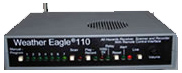
WE110 – Stand-alone Receiver

WE110R-Rack Mount

WE110 Receiver -
AE120 SAME-EAS Decoder
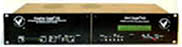
WE105 Receiver -
AE400 SAME-EAS
Decoder
Translates Alerts to Text

MRI-100 MultiRadio Interface
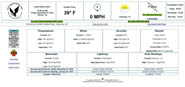
FipsServer Custom Weather Website
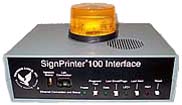
SP100 SignPrinter Interface

One Line LED Signboard

Two Line LED Signboard
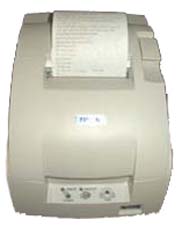
Rugged Printer

Strobe Light
|